Compare residential vs datacenter proxies across speed, detection, cost, and use cases. A practical framework to choose the right proxy type for your needs.
Two Architectures, Very Different Trade-Offs
Residential and datacenter proxies solve the same fundamental problem: masking your origin IP. But they do it through entirely different infrastructure, and that difference cascades into every aspect of performance, detectability, cost, and suitability. Choosing between residential vs datacenter proxies isn't about which is "better" in absolute terms. It's about matching the proxy type to your specific technical requirements, target site defenses, budget constraints, and operational priorities.
This guide breaks down the real differences with enough technical detail to make an informed decision, including cases where datacenter proxies are the clear winner, cases where only residential will work, and the gray area where either can succeed with the right configuration.
IP Source and ASN Classification
The most consequential difference between these proxy types is where the IPs come from and how they're classified in global IP intelligence databases.
Datacenter proxies use IP addresses allocated to hosting companies, cloud providers, and colocation facilities. These IPs are registered under ASNs categorised as "hosting" or "datacenter" in databases like MaxMind, IP2Location, and IPinfo. Common hosting ASNs include Amazon (AS16509), Google Cloud (AS15169), DigitalOcean (AS14061), and OVH (AS16276). Any request from these IP ranges is immediately identifiable as originating from server infrastructure, not a human user.
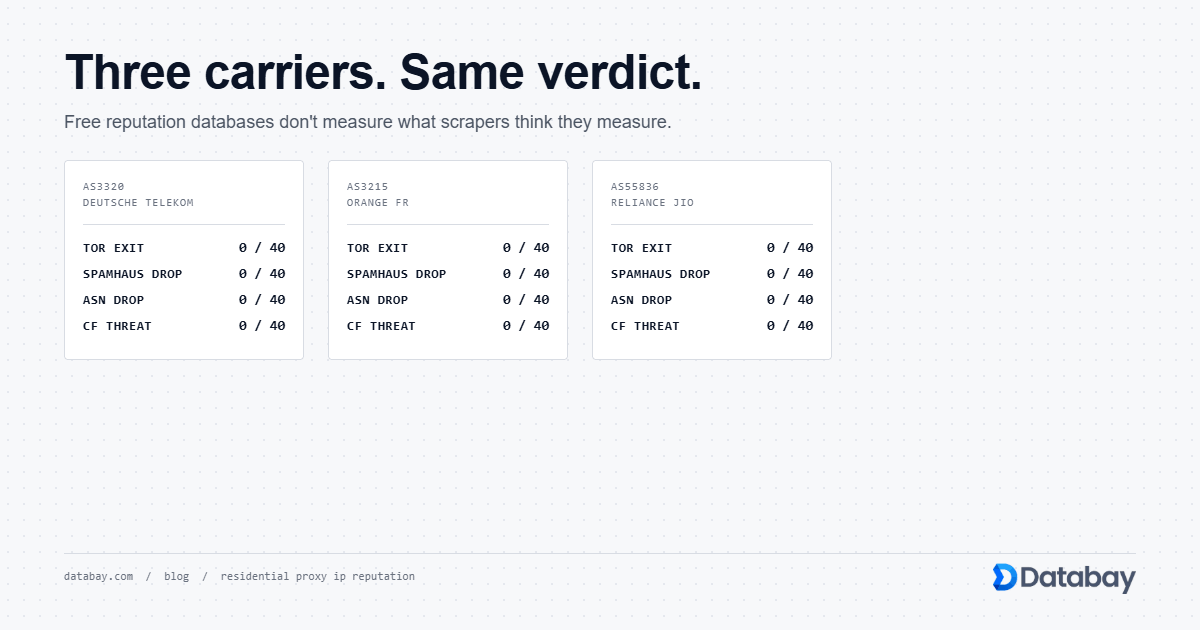
Residential proxies use IP addresses assigned by consumer Internet Service Providers: Comcast, Verizon, BT, Deutsche Telekom, and thousands of regional ISPs worldwide. These IPs are registered under ASNs classified as "ISP" or "residential." When a target site's anti-bot system queries an IP database, residential proxy IPs return the same classification as a genuine home internet user, because they genuinely are ISP-assigned addresses routed through real subscriber connections.
This ASN classification is the first and often most decisive check in anti-bot detection pipelines. Sites that block or challenge datacenter ASN traffic will pass residential IPs through without friction.
Detection Rates and Trust Scores
The practical impact of IP classification shows up directly in detection and block rates. Anti-bot platforms assign trust scores to incoming requests, and IP type is weighted heavily in the scoring model.
Datacenter IPs start with a significant trust deficit. Platforms like Cloudflare, Akamai, and PerimeterX maintain lists of known datacenter IP ranges and apply heightened scrutiny by default: CAPTCHAs, JavaScript challenges, or outright blocks. Even unused datacenter IPs from freshly provisioned servers often get challenged simply because the ASN is flagged as hosting infrastructure.
Residential IPs start with a high trust baseline. The IP's history typically reflects normal consumer browsing, a mix of social media, streaming, shopping, and general web use. Unless a specific residential IP has been heavily abused (and providers actively rotate out flagged IPs), it passes initial trust evaluation cleanly.
In practice, this translates to success rate differences that can be dramatic. On heavily protected sites (major e-commerce platforms, search engines with bot detection, social media sites), datacenter proxies might achieve 10-30% success rates while residential proxies maintain 85-95%+ under comparable conditions. On less protected targets (small business websites, basic APIs, content sites without enterprise anti-bot solutions), both types can achieve near-100% success.
Speed and Latency Comparison
Datacenter proxies have a clear speed advantage. They run on enterprise-grade servers in data centres with high-bandwidth, low-latency network links. A typical datacenter proxy request completes in 100-300ms, and throughput can easily reach gigabit speeds per connection. The entire path (client to proxy server to target) stays within commercial internet backbone infrastructure.
Residential proxies are inherently slower. Each request routes through a consumer device on a home or mobile internet connection. The additional hops (client to gateway to residential node to target) and the consumer-grade bandwidth of the exit node add latency. Typical residential proxy requests take 500ms to 3 seconds, with throughput limited by the residential device's connection speed, often 20-100 Mbps downstream at best.
For latency-sensitive applications (real-time price comparison engines, high-frequency API polling, or time-critical monitoring), datacenter proxies deliver significantly better performance. For applications where a 1-2 second delay per request is acceptable (web scraping with concurrent connections, periodic data collection, market research), residential proxy latency is a manageable trade-off for the detection advantages.
Side-by-Side Comparison
| Factor | Datacenter Proxies | Residential Proxies |
|---|---|---|
| IP Source | Cloud/hosting providers | Consumer ISPs |
| ASN Classification | Hosting / Datacenter | ISP / Residential |
| Detection Risk | High on protected sites | Low, appears as regular user |
| Average Latency | 100-300ms | 500ms-3s |
| Throughput | Very high (gigabit) | Moderate (consumer bandwidth) |
| Typical Pricing | Per IP or per port (cheaper) | Per GB transferred (premium) |
| Pool Size | Thousands to tens of thousands | Millions (34M+ with Databay) |
| Session Control | Static IPs, long-lived | Rotating or sticky (1-30 min) |
| Best For | Speed-critical, low-protection targets | Protected sites, geo-targeting, anonymity |
Cost Structures and Budgeting
The pricing models for residential vs datacenter proxies reflect their underlying infrastructure costs.
Datacenter proxies are typically sold per IP address or per port on a monthly subscription. Prices range from $1-5 per IP per month for shared proxies to $2-10 per IP for dedicated (exclusive-use) addresses. Because you're paying for allocated IPs rather than usage, costs are predictable and scale linearly. A package of 100 dedicated datacenter IPs might cost $200-500/month regardless of how much traffic you push through them.
Residential proxies are predominantly billed per gigabyte of data transferred. Rates typically range from $5-15 per GB depending on the provider, plan tier, and targeting specificity (country-level targeting is cheaper than city-level). This usage-based model means costs scale with data volume, not IP count. A scraping job that transfers 100 GB of data in a month costs the same whether it uses 100 or 10 million unique IPs.
The cost calculus depends on your use case. If you're making millions of lightweight API calls (small request/response bodies), datacenter proxies are dramatically cheaper per request. If you're scraping rendered web pages with heavy HTML payloads and your primary constraint is avoiding blocks rather than minimising cost, the higher per-GB residential pricing pays for itself in higher success rates and less wasted bandwidth on failed requests.
When Datacenter Proxies Are the Right Choice
Datacenter proxies are optimal, and often superior, in several well-defined scenarios:
- Targets without anti-bot protection Many APIs, internal tools, smaller websites, and services with public data feeds don't employ IP-level bot detection. Datacenter proxies access them flawlessly at higher speed and lower cost.
- Speed-critical operations Real-time price monitoring, stock availability checking, competitive intelligence dashboards that need sub-second response times. The 5-10x latency advantage of datacenter proxies is decisive here.
- High-volume, low-bandwidth tasks API calls returning JSON payloads of a few kilobytes each. The per-IP pricing model means you can make tens of millions of requests per month for a fraction of what residential bandwidth pricing would cost.
- SEO rank tracking Checking search rankings for specific keywords across search engines with moderate protection. Datacenter proxies with proper rotation handle this well, and the volume requirements make per-GB pricing prohibitive.
- Infrastructure testing Load testing, uptime monitoring, or latency measurement from multiple geographic locations where detection isn't a concern, but speed and consistency are.
When Only Residential Proxies Will Work
Certain use cases functionally require residential proxies because datacenter IPs are blocked at the infrastructure level:
- Scraping enterprise-protected sites Major e-commerce platforms (Amazon, Walmart, Target), travel aggregators, and real estate listings deploy anti-bot solutions that categorically block or challenge datacenter ASNs. No amount of header manipulation or rate limiting will compensate for a flagged IP classification.
- Ad verification Verifying that advertisements display correctly to real users in specific locations requires IPs that ad networks trust. Ad platforms actively filter datacenter traffic to prevent click fraud, so verification services must use residential IPs to see what actual users see.
- Geo-restricted content testing Accessing region-locked streaming catalogs, localised pricing, or geo-targeted content requires IPs that geolocation services place in the correct region with ISP-level authenticity. Datacenter IPs from a US server farm won't convincingly represent a residential user in Munich.
- Social media operations Platforms like Instagram, Facebook, and TikTok aggressively block datacenter IPs. Account management, content verification, and market research on these platforms demand residential-classified connections.
- Sneaker and retail purchase automation Limited-release retail sites implement strict anti-bot measures that whitelist only residential IP ranges. Datacenter IPs are blocked before reaching the product page.
Pool Size, Diversity, and Subnet Coverage
Pool size differences between the two proxy types are structural, not just numerical.
Datacenter proxy pools typically range from a few hundred to tens of thousands of IPs. These IPs often come from a limited number of subnets. It's common for a datacenter provider to offer 10,000 IPs spread across just 20-50 /24 subnets. Sophisticated anti-bot systems detect this pattern. If they see many requests from IPs in the same /24 block (e.g., 185.200.116.0/24), they can apply subnet-level rate limiting or blocks, rendering the entire batch unusable.
Residential proxy pools span millions of IPs across thousands of ISPs and hundreds of thousands of unique subnets. Databay's pool of 34 million+ IPs is distributed across ISPs in virtually every country, with natural subnet diversity that mirrors real internet demographics. This makes subnet-level detection effectively impossible. Consecutive requests might come from entirely different ISPs, cities, and /16 network blocks.
Pool diversity also affects geographic targeting granularity. Datacenter pools might offer coverage in 10-20 countries from major hosting hubs. Residential pools provide country, state/region, and often city-level targeting across 100+ countries, because the IPs are drawn from ISP subscribers in those actual locations.
Session Control and IP Persistence
Datacenter proxies typically provide static IP assignments. You receive dedicated IP addresses that remain yours for the subscription period (days, weeks, or months). This makes them excellent for use cases requiring persistent identity: maintaining long-lived authenticated sessions, building IP reputation for email sending, or operating services that require a fixed egress IP.
Residential proxies offer more flexible session control but less permanence. Sticky sessions maintain the same IP for a configured duration (typically 1-30 minutes), after which the session expires and a new IP is assigned. This works well for short-to-medium user session simulation but won't sustain a connection for hours or days. Rotating sessions cycle IPs per request, maximising diversity but eliminating continuity.
The session model you need should drive your proxy type decision. Need to keep the same IP for a full workday while running an automation script? Datacenter proxy with a static IP. Need to simulate 10,000 unique visitors to a website for market research? Residential rotating sessions. Need to log in, navigate through five pages, and log out across 500 accounts? Residential sticky sessions with a TTL matching your workflow duration.
A Decision Framework for Choosing Your Proxy Type
Rather than defaulting to one type, use this decision framework based on your actual requirements:
Step 1: Assess target protection level. Visit the target site and check for Cloudflare, Akamai, PerimeterX, or DataDome integration (inspect page source, check response headers). If enterprise anti-bot is present, residential proxies are likely necessary. If absent, datacenter may work fine.
Step 2: Test with datacenter first. If the target isn't clearly protected, run a small test batch with datacenter proxies. If success rates exceed 90%, datacenter is sufficient and more cost-effective. If success drops below 70%, switch to residential.
Step 3: Evaluate latency requirements. If your application requires sub-500ms response times, datacenter proxies are the only viable option. If 1-3 second responses are acceptable, either type works.
Step 4: Calculate cost at scale. Estimate your monthly data transfer volume. For small payloads (under 10 GB/month), residential per-GB pricing is affordable. For massive data volumes (100+ GB/month), compare the total cost of residential bandwidth against a datacenter IP package. Datacenter often wins on pure economics.
Step 5: Consider a hybrid approach. Many mature operations use both types. Datacenter proxies handle unprotected targets and speed-critical tasks. Residential proxies handle protected sites and geo-sensitive operations. This hybrid strategy optimises both cost and success rates across diverse use cases.
Making the Right Choice for Your Use Case
The residential vs datacenter proxies decision is a technical trade-off, not a quality judgment. Datacenter proxies deliver superior speed, lower cost, and simpler management when detection isn't a constraint. Residential proxies provide unmatched authenticity, massive IP diversity, and access to protected targets when they are the only option that works.
The most successful proxy operations avoid ideological commitment to one type. They assess each target and use case individually, test both options where feasible, and build infrastructure that can use either type based on real-world performance data. Start with clear requirements (detection sensitivity, latency tolerance, budget, and geographic needs), and the right proxy type for your situation becomes evident.
Frequently Asked Questions
Are residential proxies always better than datacenter proxies?
Can I use datacenter proxies for scraping Amazon or Google?
Why are residential proxies more expensive per gigabyte?
Should I use rotating or sticky sessions with residential proxies?
Can websites detect residential proxies through browser fingerprinting?